Digitise
Build a spatially accurate 3D twin with LiDAR, 360° capture, floor plans and measurement data.

Visitors scan a location-specific QR code and instantly open a 3D view in their browser (no app). They choose a destination and follow a clear route using familiar 3D visuals - on any device.
See it in action
Children's Clinical University Hospital
At BKUS, a location-specific QR code opens the 3D Navigator directly in a visitor's browser. From there, they can choose the right destination and follow a familiar route through the hospital.
No app required - it opens on any phone browser.
Parking areas, entrances, crossroads, lobbies, elevators - each QR code is unique to that spot.
No app download. Works on any device.
Visitors select the building, department, service, gate, or point of interest from a clear list.
3D Navigator is a web-based platform that turns real-world spaces into navigable 3D environments. Your visitors can move through the space, zoom in on details, open information points, watch embedded videos and follow curated tours - all from their browser, on any device.
Instead of static photos or long PDF presentations, you share a single link that delivers a rich, guided 3D experience.
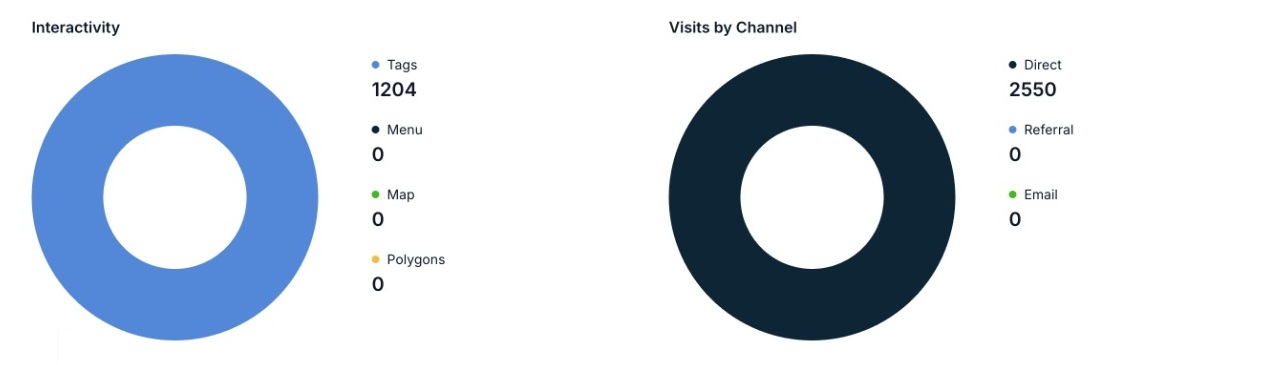
Admins can update destinations anytime and review analytics (scans, top destinations and drop-offs) to improve visitor flow.
My3D is the modular platform behind 3D Navigator. A single digitised environment can grow from a presentation and navigation tool into an operational digital twin.
Build a spatially accurate 3D twin with LiDAR, 360° capture, floor plans and measurement data.
Connect rooms, objects and places to interactive content, maps, documents, audio and multiple languages.
Lead visitors through a scenario or guide them indoors and outdoors from a QR code to the right destination.
Support VR and AR, onboarding, training, visitor experiences, client self-service and everyday workflows.
Bring together analytics, APIs, systems, IoT sensors and AI with the spatial context of the real world.
3D Navigator guides people from the first scan to the right entrance, room, building or point of interest.
Guide patients and visitors from parking areas to the correct building, entrance, department, or unit.
Help students, parents, and guests navigate multiple buildings and entrances with ease.
Make large areas intuitive to explore - improve the first impression and reduce confusion.
See why hospitals, museums, schools and enterprises trust 3D360 for wayfinding and visitor experience.
Once we deployed 3D Wayfinding, the number of "where is…?" questions at reception dropped noticeably. Visitors find the right building and entrance without stress.
Professional implementation, clear communication, and a solution that actually works for our multi-building campus. We recommend 3D360.
Modern, on-brand navigation that our guests appreciate. No app download - they scan and go. Exactly what we needed for our venues.
3D360 delivered a clear rollout plan and supported us from demo to launch. The result speaks for itself - visitors reach their destination faster.
This is not only about nice visuals - it’s a practical wayfinding tool that improves operations and visitor experience.
People follow a route while recognizing the environment in 3D - fewer wrong turns and less confusion.
Each QR code starts guidance from the exact location where it’s placed.
Less confusion at the most critical moment: when people arrive and need to get somewhere quickly.
See how 3D Navigator works for your site. Tell us about your buildings and goals, and we’ll arrange a short demo.
We will get back to you within 1–2 business days to suggest a time for a short online demo.
By submitting this form, you agree to our Privacy Policy and consent to the processing of your personal data.